

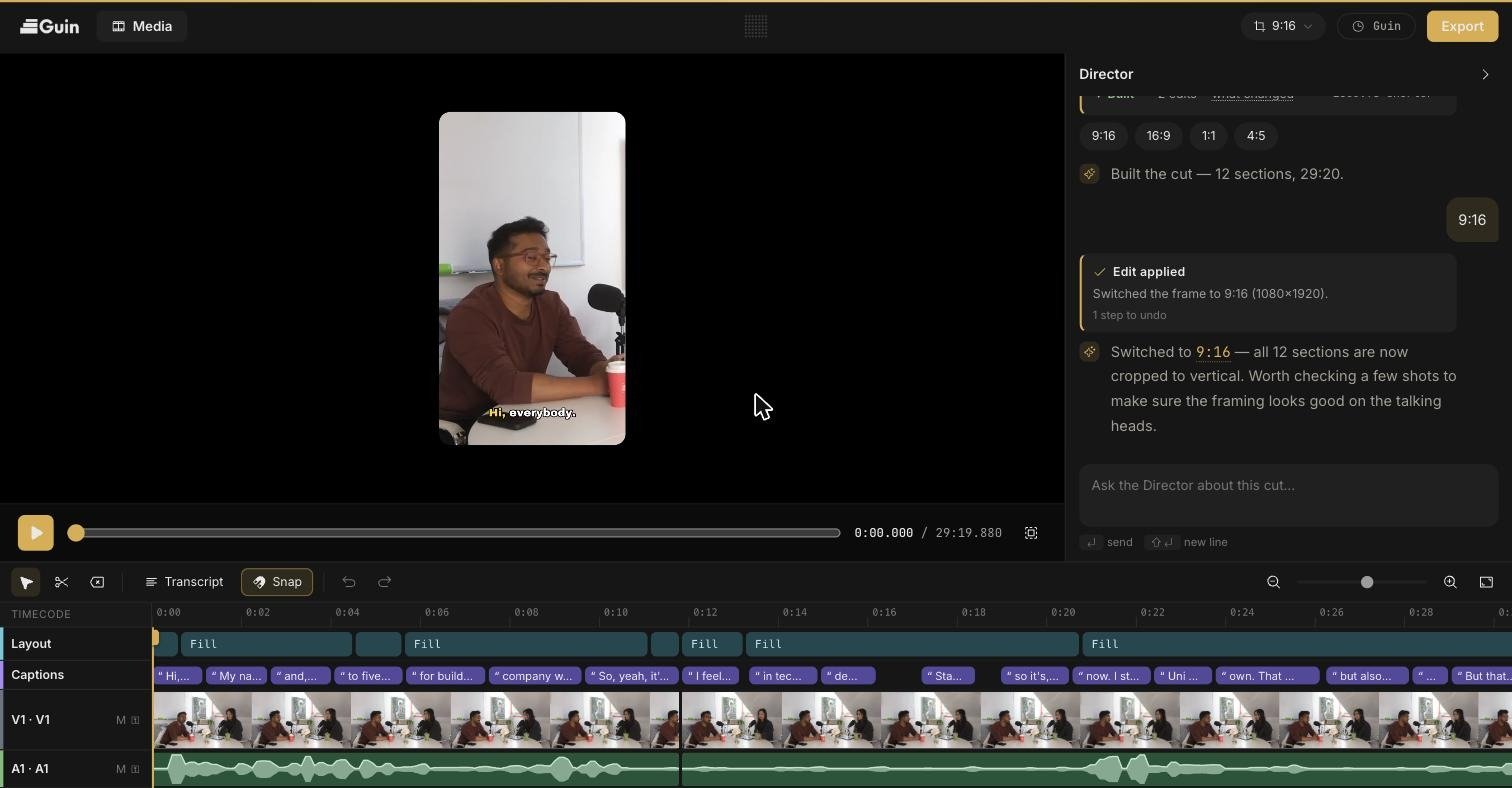
The Smart Editor: preview, timeline, and the Director chat in one view.
Two ways to work
Guin has two surfaces, and both start from the same footage.Clip Studio
The fastest way to turn footage into several publish-ready clips. You describe what you want, approve a plan, and get a set of clips back.
Smart Editor
Best for making one video and for precise changes. A timeline editor with the Director, a chat co-editor that can search your footage and build the cut.
Start here
Quickstart
Go from sign-up to your first exported video.
How Guin works
What happens to your footage between upload and final cut.
Upload footage
What you can send and how to add it.
Export
Video files up to 4K, or a project for Premiere Pro, Final Cut Pro, or DaVinci Resolve.
What Guin does not do
- It does not generate synthetic video. Everything in your edit comes from footage you filmed, unless you ask for something else.
- It does not post on its own. You review and approve every video first.
- It does not ask you to learn a timeline. The editor is there when you want fine control, and you can ignore it when you don’t.