

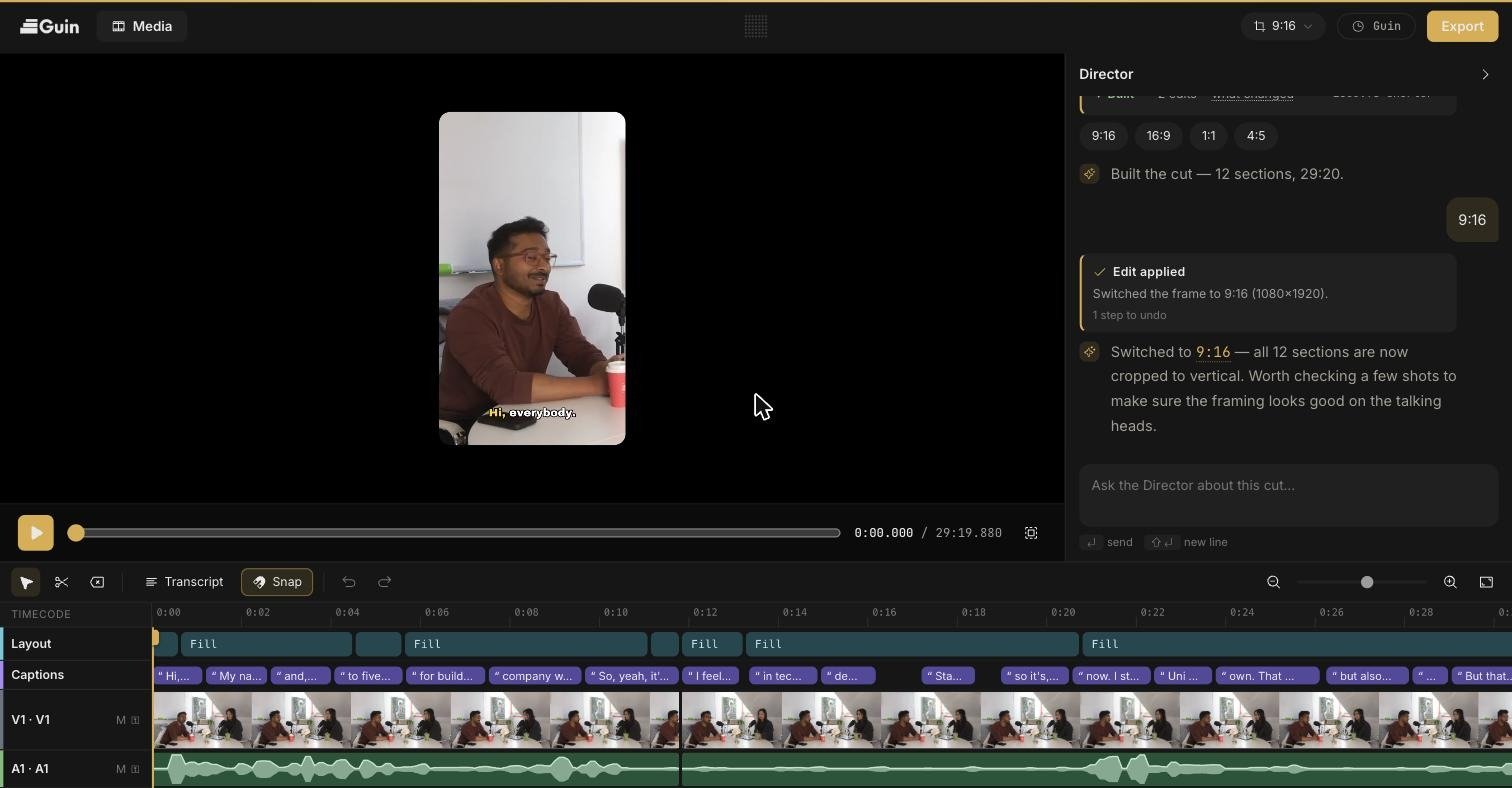
Top bar
Your work saves automatically. Look for All changes saved in the top bar.
Side panels
The panel on the left changes with what you select.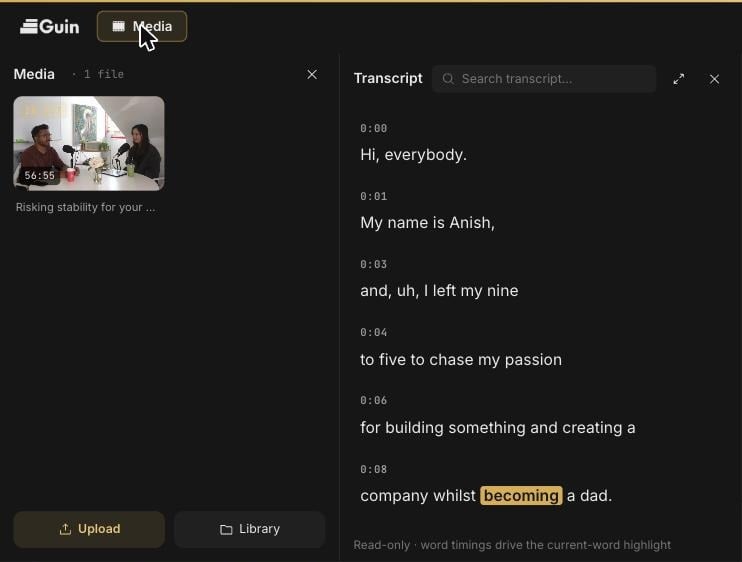
Preview
The preview shows the video exactly as it will export: framing, layout, and captions included. Use the play button and scrubber underneath to move through it.Director
The Director panel on the right is a chat with a co-editor that can see your footage and your cut. Ask it for a change and it makes the edit, then shows an Edit applied card describing what it did. Every Director edit is a normal step in your undo history.Timeline
The timeline runs across the bottom, with thumbnails on the video track and a waveform on the audio track.
The toolbar has Select (
V), Blade (B), Ripple delete (⌫), Transcript, Snap (S), Undo (⌘Z), and Redo (⇧⌘Z). On the right are zoom out, a zoom slider, zoom in, and zoom to fit.