

Ask for clips
1
Open Clip Studio
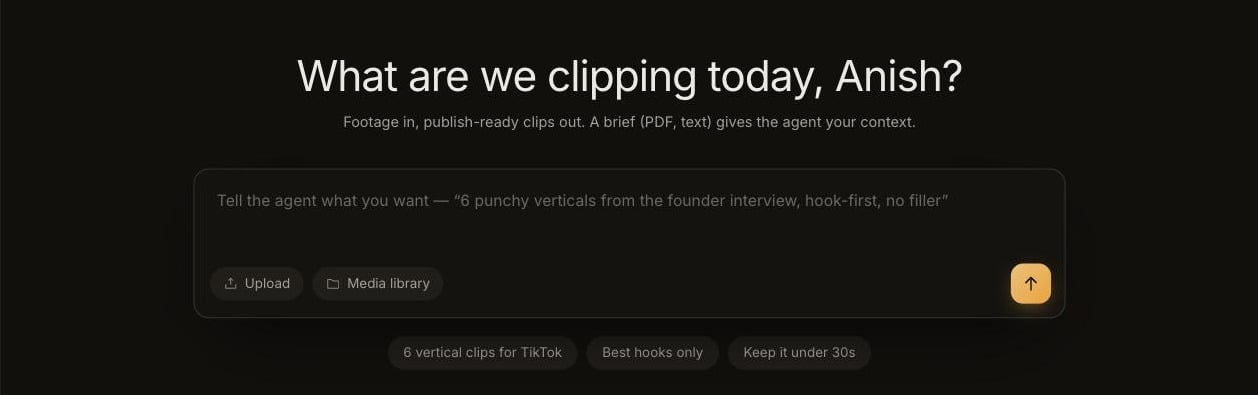
Click Clip Studio in the sidebar, or the Clip Studio card on Home.
2
Add footage
Click Upload, or pick from Media library. You can also start from one of your recent files shown under the prompt box.
3
Write your request
Say how many clips, what shape, and what matters. The suggestion chips under the box (6 vertical clips for TikTok, Best hooks only, Keep it under 30s) add common asks in one click.
4
Attach a brief (optional)
If you have context Guin should know, such as a campaign brief, key messages, or names to get right, attach it as a PDF, TXT, or Markdown file. Keep it short: briefs are limited to 50 KB.
5
Approve the plan
Guin comes back with a plan card listing the clips it intends to make. Approve it, or reply with what to change first.
Write a good request
Describe the outcome, not the timestamps.
Useful things to include:
- How many clips you want.
- The shape: vertical (9:16) or landscape (16:9).
- Length, if you have a limit.
- What to focus on: a topic, a person, a moment, a feeling.
- What to avoid: filler, a shaky section, a topic that is off limits.
Follow the run
While Guin works, the run shows which stage it is in.
You can stop a run at any time and resume it later. If your footage is still processing, the run waits for it and starts on its own.
When the run finishes you will see Done with the number of clips ready. If some clips could not be made, it tells you how many it finished.
Refine the clips
Reply in the same conversation. A request applies across all the clips unless you name one.Punchier hook on the first clipTighter captions on the secondDrop the shaky shot from the thirdMake them all landscape
Edit in the Smart Editor
Trim, change layouts, restyle captions, and work with the Director.