

Change the canvas
The canvas is the shape of your finished video. Set it from the canvas menu in the top bar of the Smart Editor.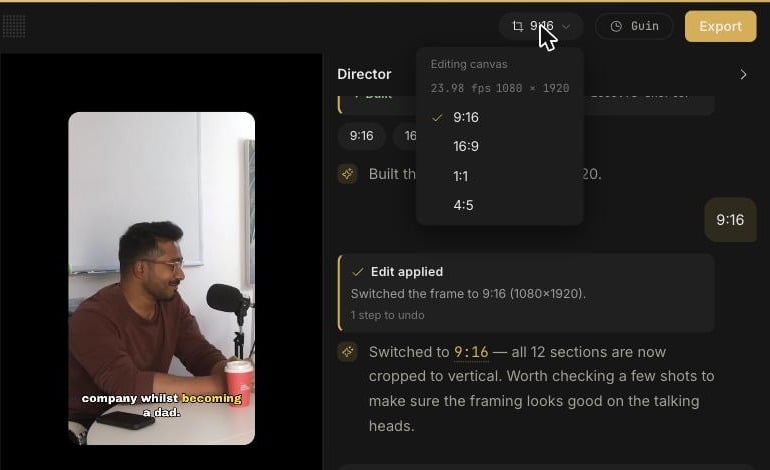
You can also ask the Director:
Make it 9:16. After a switch it is worth checking a few shots to confirm the framing, especially wide shots with more than one person.
Choose a layout
A layout decides how a section of the video fills the canvas. Layouts sit on their own Layout track, so different sections of one video can use different layouts.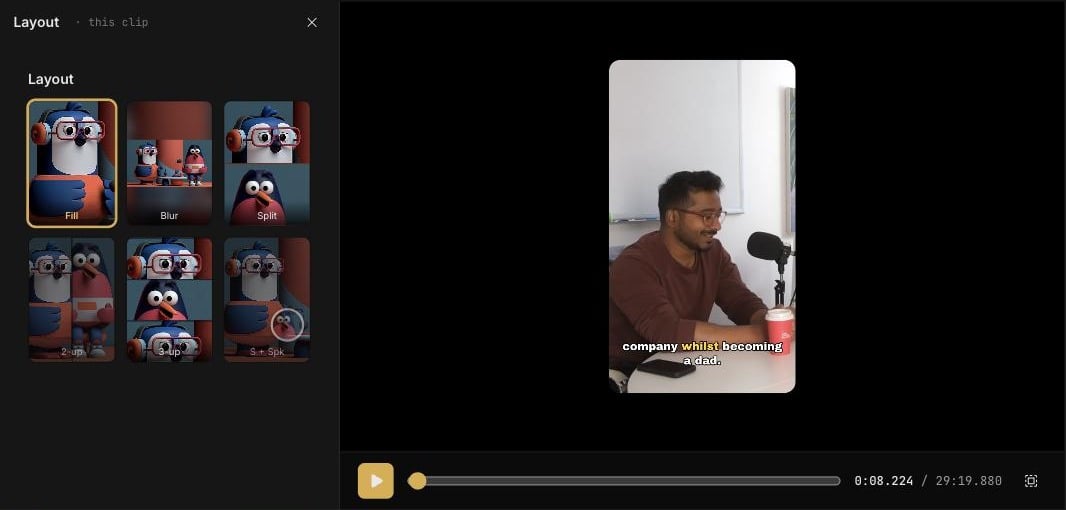
1
Click a section on the Layout track
The Layout panel opens on the left, scoped to this clip.
2
Pick a layout card
The preview updates straight away.
Split layouts are available on a 9:16 canvas.
Reframe a single shot
If one shot is framed wrong, ask the Director:Keep her centred in the second shot. It reframes that shot and confirms with a Reframed note when it is done.